
Cheat edition features
These controls appear only in the Cheat edition. Install exactly one main edition, and check the rules of the server where you use it. Open /b, choose Cheats, and expand the relevant section. Two extensions live inside the ordinary Dungeon Map and Simon Says rows in Dungeons.
Auto BM (Kuudra)
Auto BM clicks the Ballista Mechanic upgrade in its Kuudra menu.
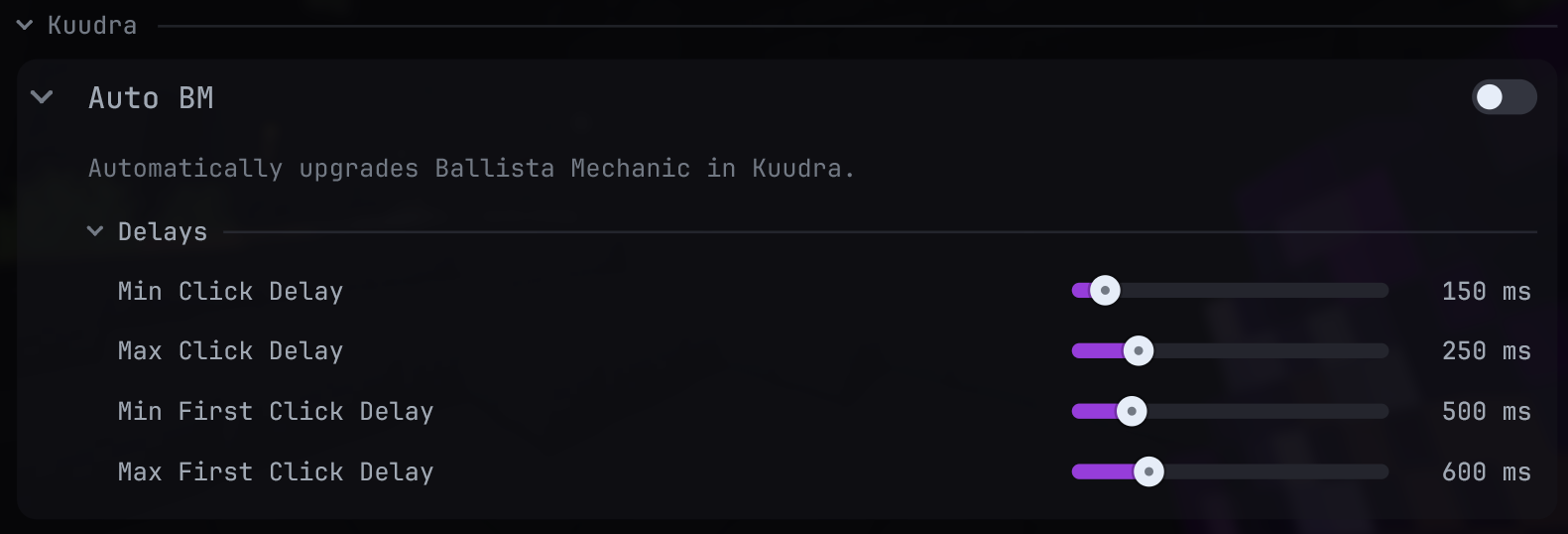 Auto BM settings
- Enable Auto BM under Cheats > Kuudra and set Min/Max First Click Delay and Min/Max Click Delay. Keep each minimum at or below its maximum.
- Open the Ballista Mechanic upgrade menu. The feature recognizes the 54-slot menu and the Ballista Mechanic item in its expected slot, then clicks it after the first delay and repeats with the configured interval.
- It stops when the menu closes or the server says you lack tokens. If it does nothing, verify the exact menu is open and the item is in the expected slot.
Auto Clicker
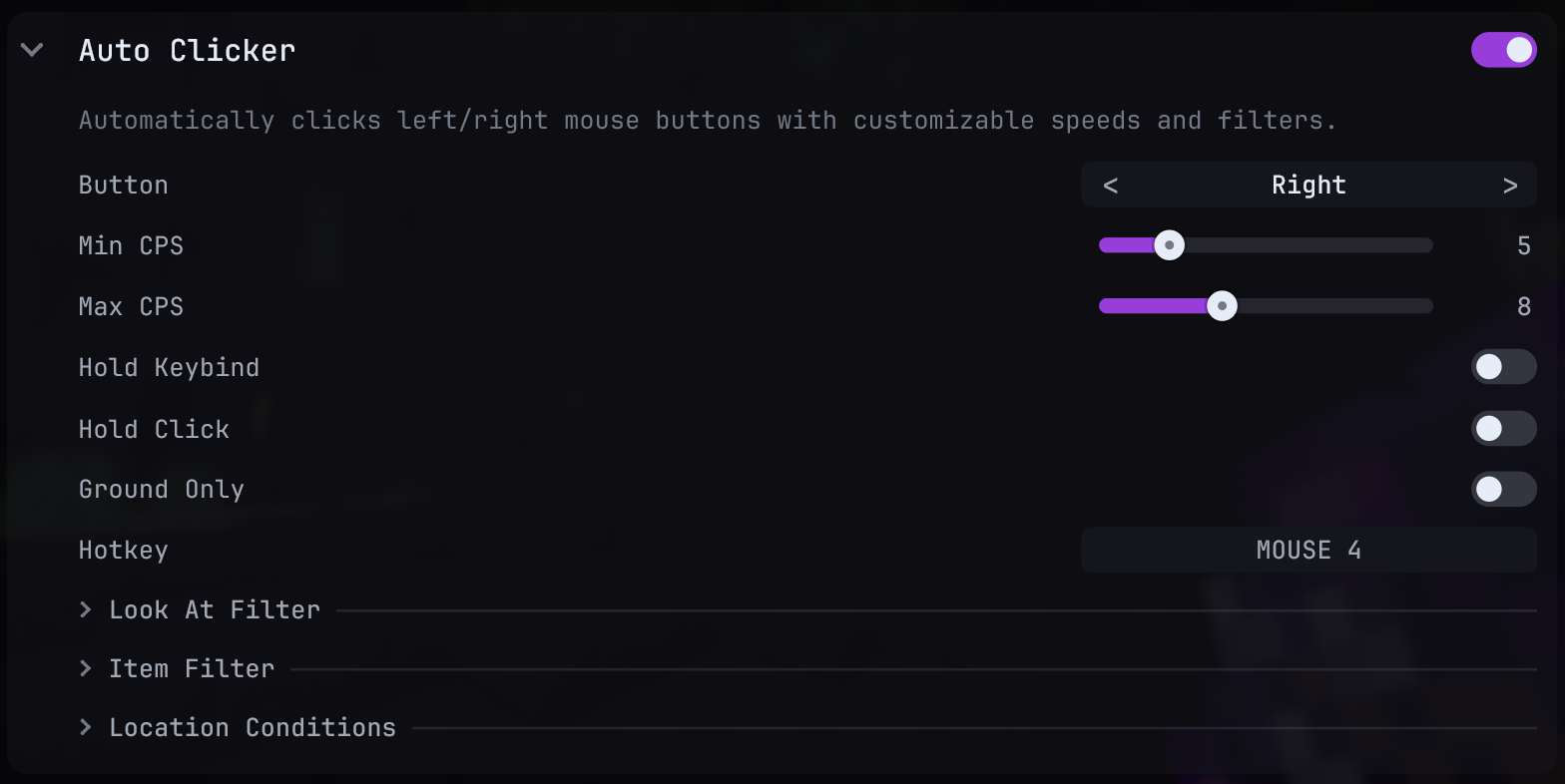 Auto Clicker settings
- Enable Auto Clicker and choose Button (Left, Right, or Both) and Min CPS/Max CPS. Hold Click holds the button continuously instead of tapping.
- Optionally assign Hotkey. With no hotkey bound, the enabled feature is active in game. With one bound, Hold Keybind makes it active only while held; otherwise a press toggles it.
- Add Ground Only, Look At Filter, Item Filter, or Location Conditions only when you want those restrictions. The look-at filter uses selected block/entity IDs and a distance; the item filter matches held item names; location conditions can require a dungeon, floor, boss room, or phase.
- Test with a visible target while no screen is open. If nothing happens, first disable filters one at a time and confirm the hotkey state; a failed condition suppresses clicks.
Auto TNT
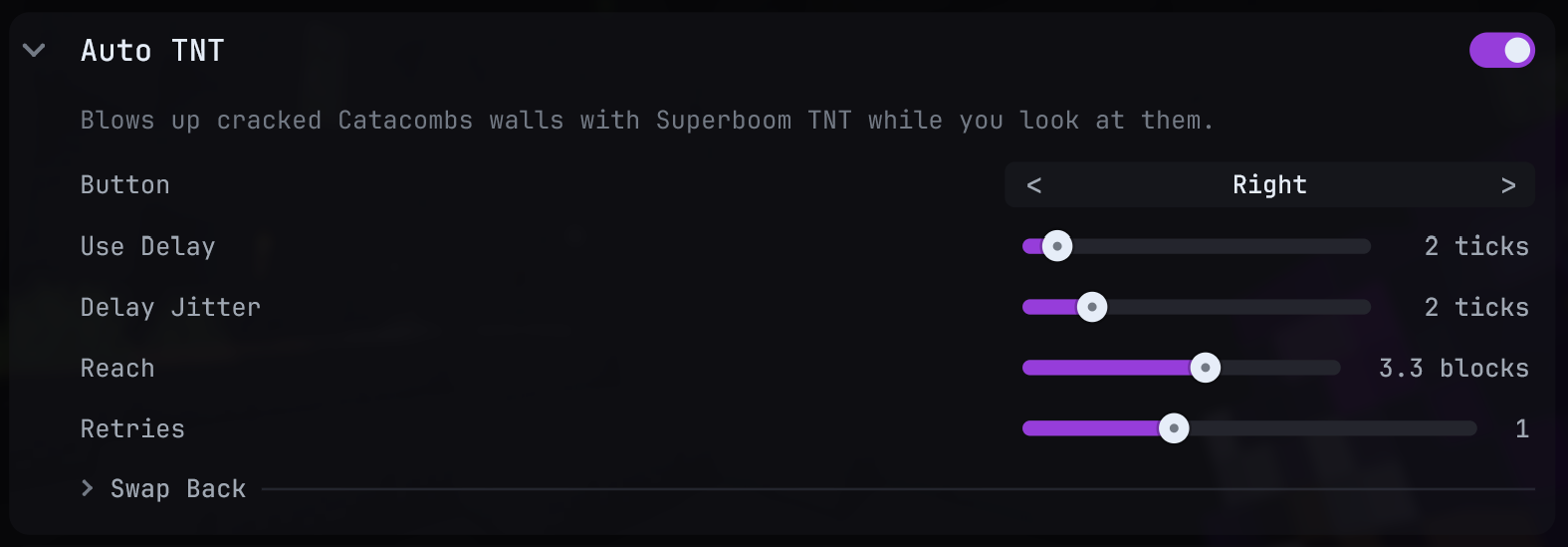 Auto TNT settings
- Enable Auto TNT, keep Superboom TNT available, and choose Button (right or left click).
- Look at a cracked Catacombs wall while standing within Reach. The feature swaps to TNT and uses it after Use Delay plus optional Delay Jitter.
- Retries adds extra clicks while the wall remains. Swap Back restores the earlier slot after Swap Back Delay; turn it off if you want to remain on TNT.
It only acts in a recognized dungeon, with no other screen open, on a recognized cracked wall in range. Use that checklist if it stays idle.
Freecam
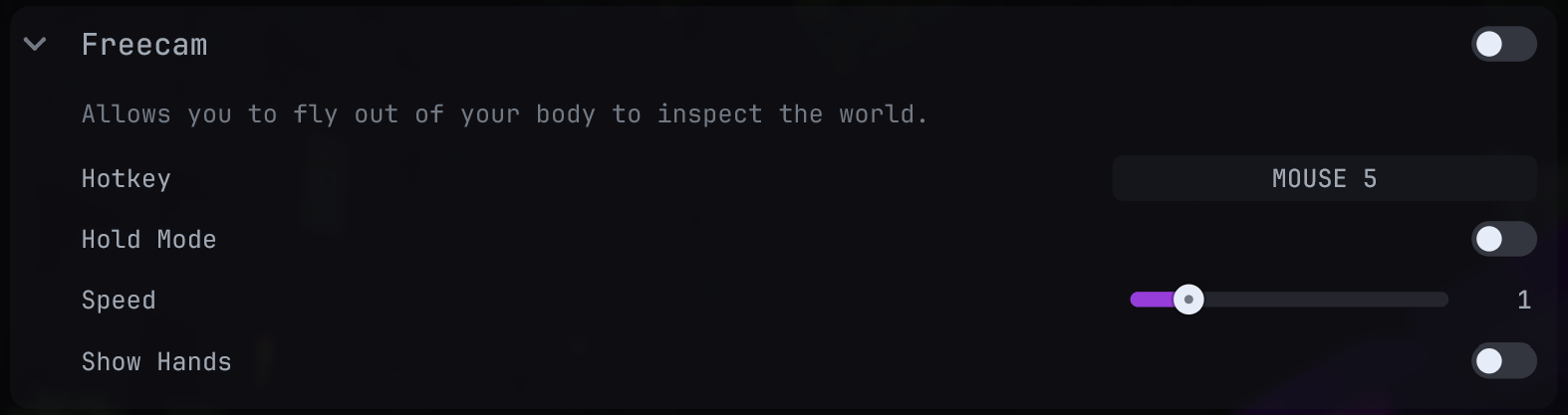 Freecam settings
- Enable Freecam in world; enabling it activates the camera. Assign Hotkey if you want to toggle it without reopening the ClickGUI. Hold Mode keeps it active only while the bound key is down.
- Move the camera to inspect the scene. Speed controls movement; Show Hands controls first-person hands.
- Deactivate it before normal play. A world change also ends the camera mode.
Freecam moves your view away from your player; it does not move your server-side player to the camera position.
Perspective
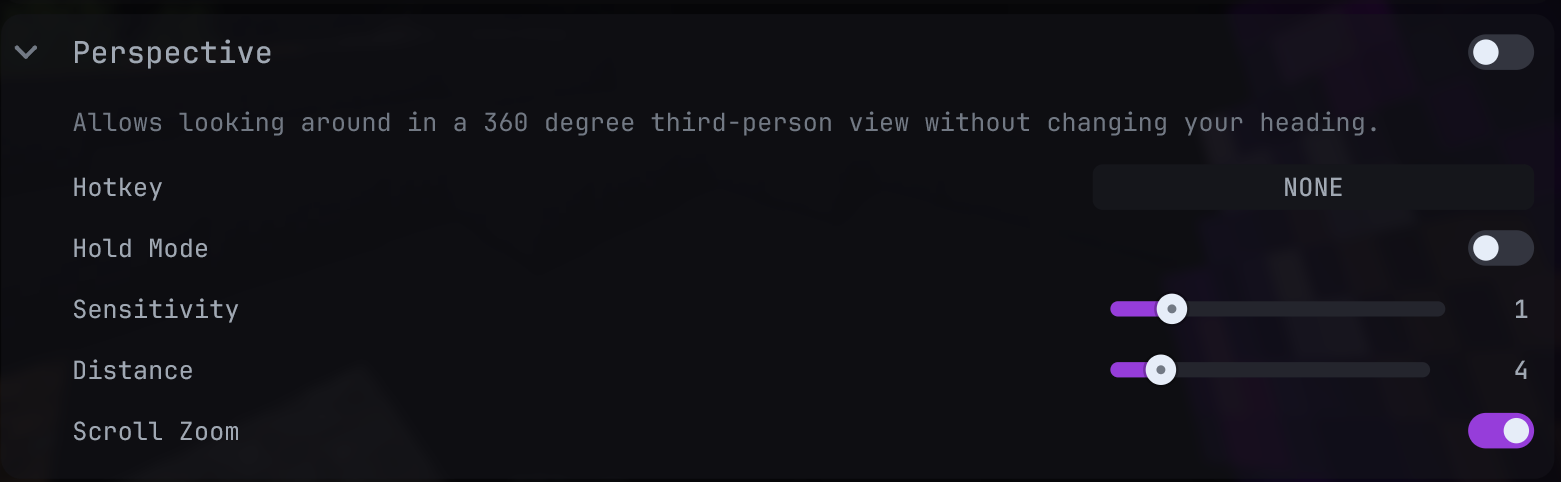 Perspective settings
- Enable Perspective in world; enabling it activates the camera. Assign Hotkey if you want to toggle it without reopening the ClickGUI. Hold Mode keeps it active only while the bound key is down.
- Move the mouse to look around without changing the player’s heading. Sensitivity controls the turn, Distance sets camera pullback, and Scroll Zoom lets the wheel change it.
- Deactivate it to return to normal camera control.
Auto Relic (M7)
Auto Relic operates in Master Mode Floor 7 phase 5. It can pick up relics and place red or orange relics in their cauldrons.
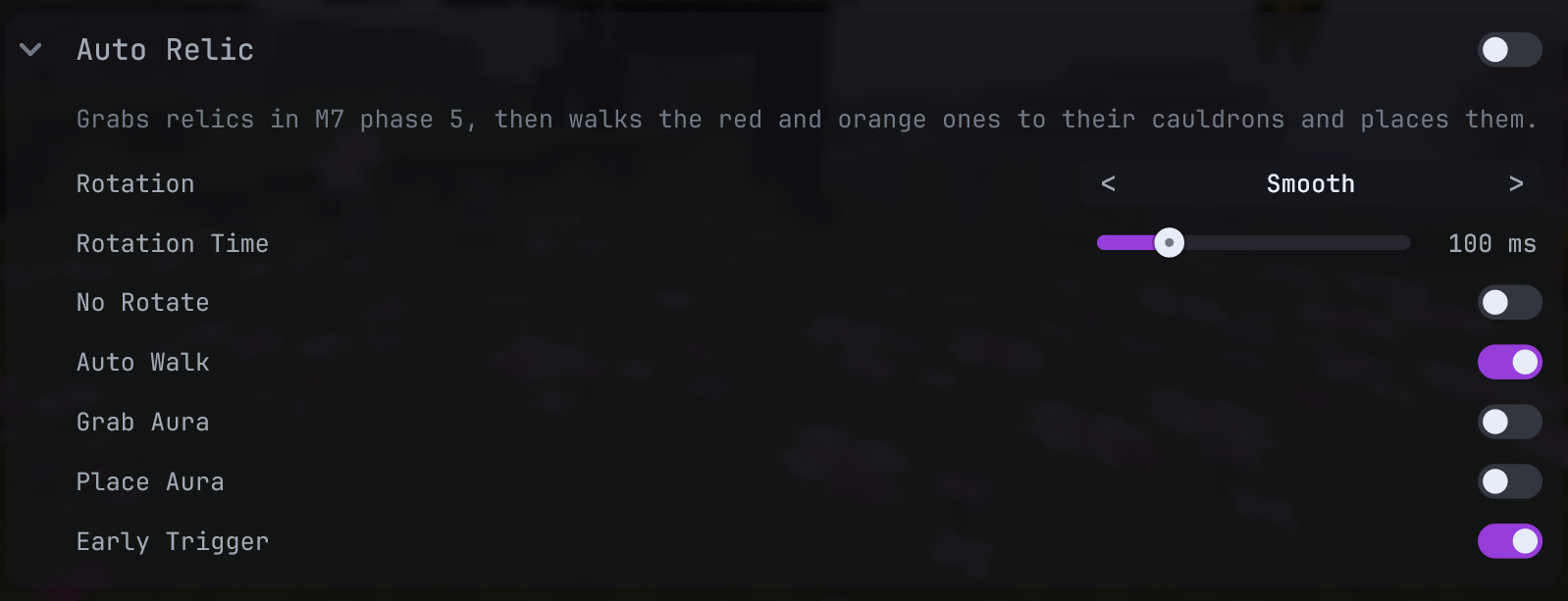 Auto Relic settings
- Enable Auto Relic before phase 5. Set Rotation to Smooth or Snap; Rotation Time applies to Smooth.
- Grab Aura attempts nearby relic pickup. Place Aura places a held red/orange relic when its cauldron is in reach. Early Trigger starts on the relic click before it reaches the hotbar, then gives up if it does not arrive shortly.
- Auto Walk moves a red/orange relic to its cauldron. Pressing a movement key cancels this automation. No Rotate changes only the direction sent to the server while your camera stays put.
- Watch the route and inventory. If it does not act, verify you are alive in M7 phase 5, the relic is recognized, and the required aura/walk option is on.
Dungeon Map add-on controls
In the Cheat edition, expand Dungeons > Dungeon Map > Cheats. The base Dungeon Map must be enabled.
- Cheater Map reveals undiscovered rooms. Assign Mode Keybind to switch between cheat and legit map modes; choose Toggle or Hold with Keybind Mode.
- Highlight Mimic colors the mimic room; Mimic Color changes its tint. Mimic ESP highlights the chest in the world with an outline, fill, or both.
- Instant Room Update updates entered rooms and neighbors before the hotbar map does. Its scope can be All Runs, Solo Clears, or Party Runs.
If these settings are absent, verify the Cheat jar is installed and restart the client. If they appear but the map is empty, first troubleshoot the base Dungeon Map.
Simon Says add-on controls
In the Cheat edition, expand Dungeons > Simon Says > Auto Solve. The base Simon Says feature must be enabled and reading the device.
AutoSS settings and gameplay showcase
- Choose Auto Solve to aim and click automatically, or AutoSS Triggerbot to click the next correct button only when you aim at it. Enabling one switches the other off.
- For Auto Solve, set Activation Radius near the device, Auto Mode (PreAim or Path), Auto Delay, and rotation settings. Auto Start clicks the start button after Goldor’s line; Restart On Break handles a broken round.
- No Rotate keeps your camera still while server-side aim moves. Smooth Return to Cursor and Cursor Return Speed control how that aim returns after completion.
- Bind Override Key to stop and switch off the solver immediately. Reset State clears its internal aim and start state so it can try again after a desync.
Automation is gated to the recognized F7/M7 Simon Says phase and the chosen activation radius. The base feature’s Reset Solver only resets the pattern reader; the Cheat extension’s Reset State resets automation state.